Download Xp 1.31
Try XP with unlimited time in demo mode
Be sure to read the requirements
For users running macOS Tahoe: a compatibility issue affecting a Max component currently prevents Xp devices from operating correctly. Until the next Xp update is available, you can download a temporary compatibility package containing Xp devices for tahoe.
Download Xp131 Tahoe Compatibility Patch
Install Xp from the standard package, then replace the devices with those included in the Tahoe compatibility package.
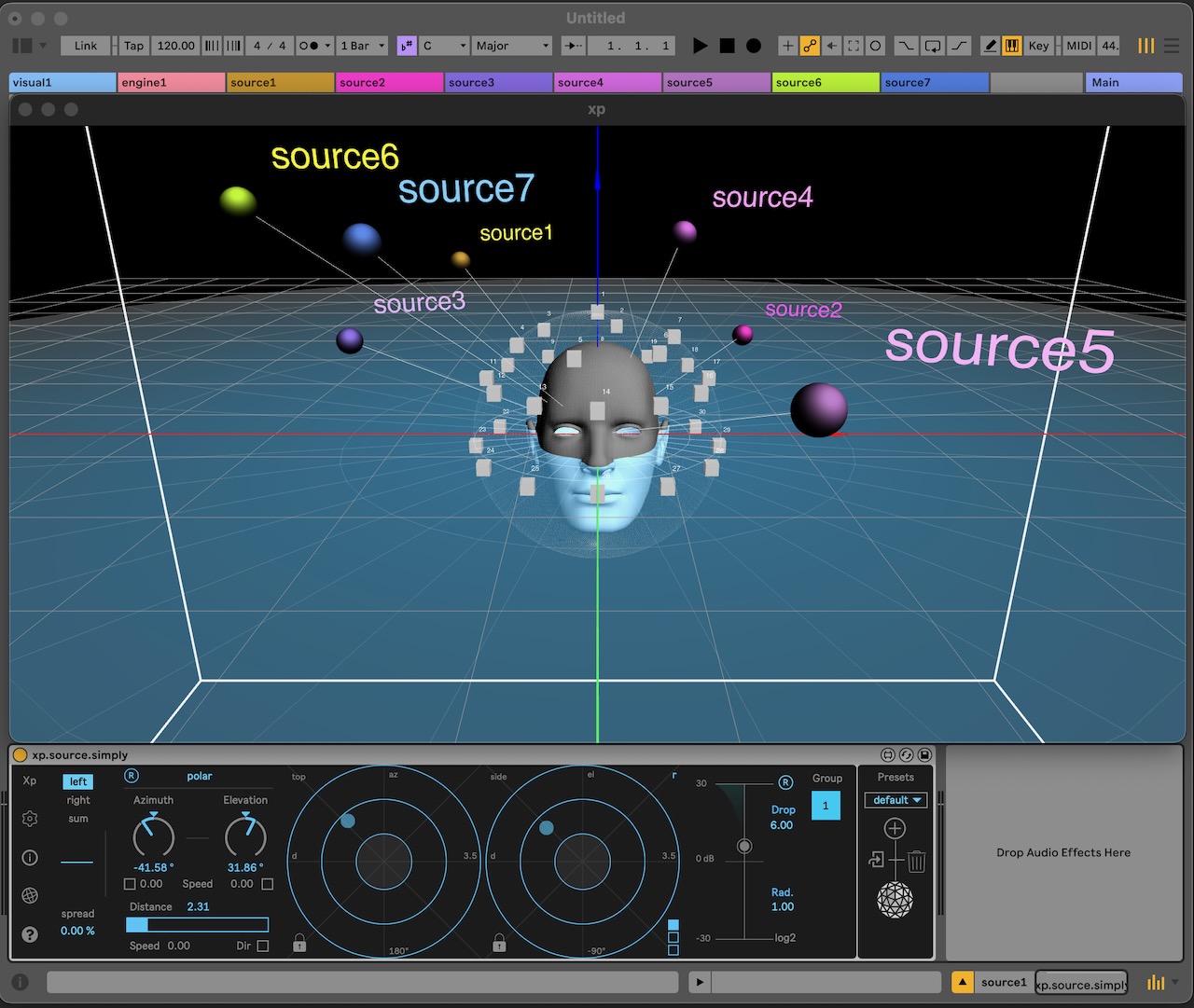
What is Xp?
XP is a spatial audio design environment for Ableton Live, built on Ircam Spat and Max for Live.
To learn more about Xp, visit About page. or have a look on how it works?
Requirements :
-Ircam Spat 5.3.5 (free download)
-Live 12, 11 (see Live specific requirements)
-macOS 11.0 (or later), Windows 10 or 11
Try Xp for Free
You can explore Xp without a license. The demo mode is now unlimited in time and lets you freely experiment with spatial audio. However, it is limited to two sound sources, one group, and one room.
How to activate demo mode:
- Download the latest version using the link above
- Open Ableton Live and insert xp.visual on a new audio track
- In the authorization panel that appears, click the button in the top-right corner to enable demo mode
Older version
Xp 1.20. / Requires a license (no demo available)